

Enhanced UI Upgrade
Transition to the New Ethico Experience by June 30
We are upgrading all customers to Ethico's Enhanced UI and Case Overview experience to deliver a faster, more intuitive case management workflow and enable upcoming product enhancements.
Scroll down to learn more about the upgrade and access resources.
Check Where You Are Today
Find your current setup and see what steps you need to take
Already using Case Overview?
You're almost finished with the transition.
What to do next:
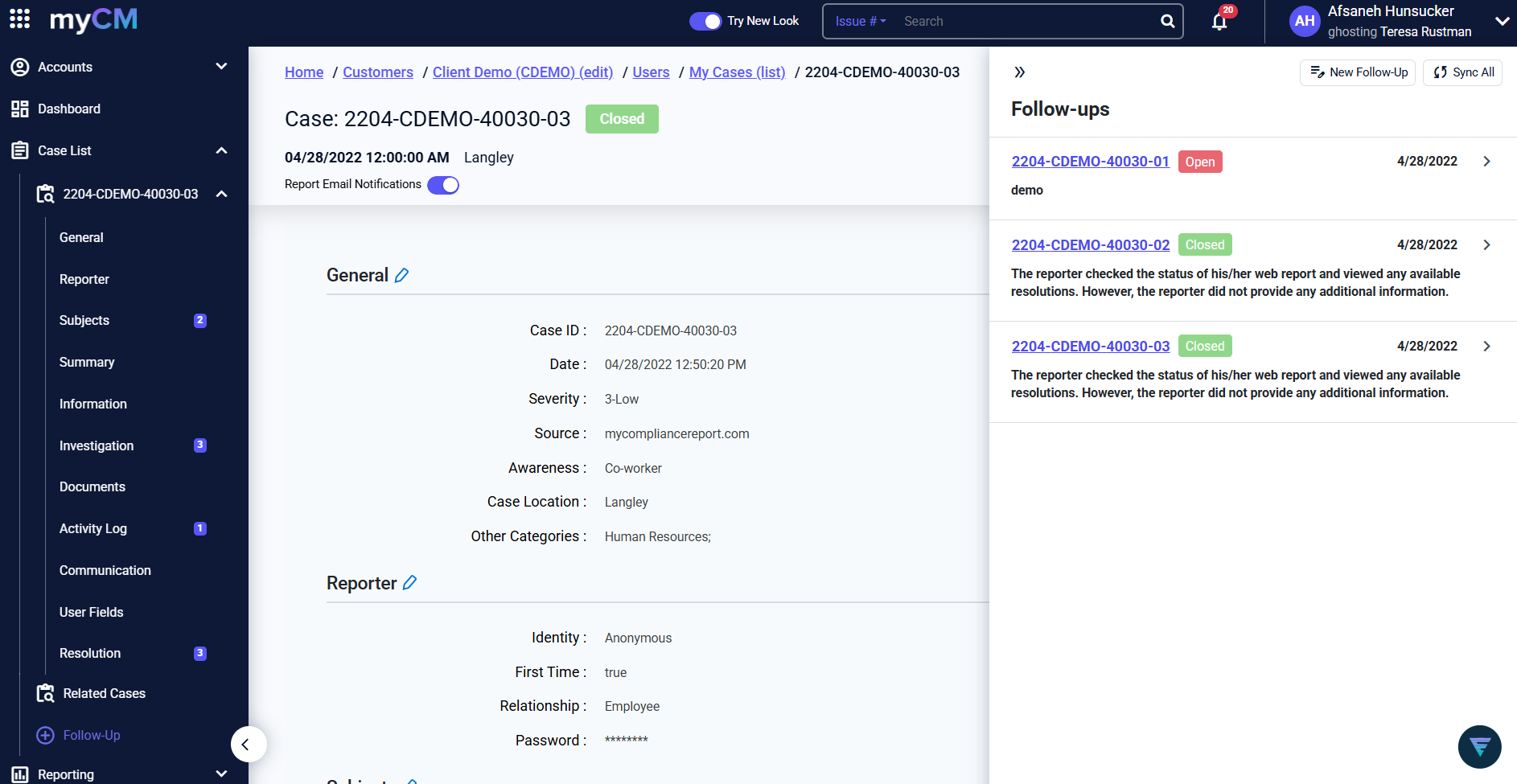
Turn on "Try New Look" in the top right corner of your screen to enable the Enhanced UI.
That's it! No additional setup required
Still using Classic Case View?
If your cases display across multiple tabs, your account is still using the legacy layout.
What to do next:
Email Support@ethico.com and we will complete the upgrade for you.
Simply send:
"We are ready to upgrade our profile to Case Overview with Enhanced UI enabled."
No configuration work is required from your team.
What Improves With the Upgrade?
See the difference between the Classic and Enhanced experience
Classic Experience
Enhanced Experience
Unified View
All case information consolidated in a single, scrollable page
Faster Workflows
Streamlined navigation reduces clicks and saves time
Modern Design
Clean, intuitive interface that's easier on the eyes
Future Ready
Foundation for all upcoming product enhancements
Important: All future enhancements will only be available in the Enhanced UI.
Why Customers Are Moving Now
Organizations upgrading are seeing measurable improvements across their case management workflows.
- Faster case review and updates
- Better visibility into investigations
- Improved workflow efficiency
- Access to all new product enhancements (where applicable)
- A more modern user experience
Timeline
What to expect
NOW – JUNE 30
Transition Window
Recommended time to upgrade. Your CSM is available to help.
JUNE 30
Classic View Retires
Legacy layout is sunset for all accounts.
AFTER JUNE 30
New Standard
Enhanced UI becomes the default experience for all customers.
We're Here to Help
If you'd like help planning your transition, your Client Success Manager can provide the support you need.
Your Client Success Manager can provide:
- Quick overview sessions
- Best practice guidance
- Feature walkthroughs
- Migration support
Contact your Client Success Manager:
Technical Support
For technical questions or to request your upgrade, reach out to our support team.
Simply email us:
"We are ready to upgrade our profile to Case Overview with Enhanced UI enabled."